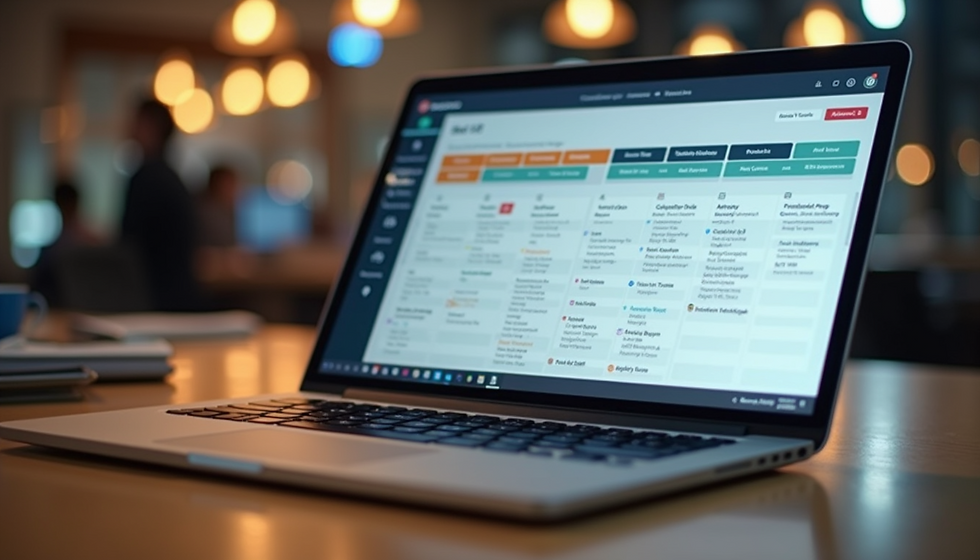
Top Employee Scheduling Tools: Top Features of the Best Scheduling Software
- Jan 13
- 4 min read
Let’s face it - scheduling staff can feel like juggling flaming torches while riding a unicycle. It’s tricky, time-consuming, and one wrong move can lead to chaos. But what if there was a way to make this circus act a breeze? Enter the world of scheduling software. These digital assistants are designed to take the headache out of rostering, freeing you up to focus on what really matters. So, what makes the best scheduling software stand out from the crowd? Let’s dive into the top features that can transform your workforce management from a juggling act into a smooth dance.
Why Top Employee Scheduling Tools Matter
You might be thinking, “Why bother with fancy software when a spreadsheet or a whiteboard works just fine?” Well, here’s the thing: as your business grows, so do the complexities of scheduling. You need tools that can handle last-minute changes, employee availability, and compliance with labour laws without breaking a sweat.
Top employee scheduling tools are like your personal scheduling superheroes. They save time, reduce errors, and boost employee satisfaction by making shifts clear and fair. Plus, they often come with nifty extras like automated reminders and real-time updates. Imagine never having to chase someone down to confirm their shift again!
Here’s what you should look for in these tools:
User-friendly interface: No one wants to wrestle with complicated software.
Mobile access: Because schedules change on the go.
Automated notifications: Keeps everyone in the loop.
Integration capabilities: Works well with your existing payroll or HR systems.
Customisable shift templates: Saves time on repetitive scheduling.

What is the Most Commonly Used Scheduling System?
If you’re wondering which scheduling system is the crowd favourite, it’s definitely the shift-based scheduling system. This system breaks the day into shifts - morning, afternoon, night - and assigns employees accordingly. It’s popular because it’s straightforward and works well for businesses with round-the-clock operations like retail, hospitality, and healthcare.
Shift-based scheduling helps managers balance workloads and ensures coverage during peak hours. It also makes it easier to track hours for payroll and compliance. Many scheduling tools offer drag-and-drop features to shuffle shifts around effortlessly, which is a lifesaver when someone calls in sick or requests time off.
Another common system is flexible scheduling, which gives employees some control over their hours. This approach can boost morale and reduce turnover, especially in industries where work-life balance is a priority.
Key Features That Make Scheduling Software Shine
Alright, let’s get down to the nitty-gritty. What features should you expect from the best scheduling software? Here’s a rundown of the essentials:
1. Intuitive Drag-and-Drop Scheduling
Nothing beats the simplicity of dragging and dropping shifts into place. It’s like playing a game of Tetris, but with your workforce. This feature lets you quickly fill gaps, swap shifts, and avoid double bookings without breaking a sweat.
2. Real-Time Updates and Notifications
Ever had a shift change that no one knew about until the last minute? Scheduling software with real-time updates sends instant notifications to employees via email or mobile app. This means fewer no-shows and less confusion.
3. Employee Self-Service Portal
Give your team the power to check their schedules, request time off, or swap shifts with colleagues. This reduces the back-and-forth emails and phone calls, making everyone’s life easier.
4. Automated Conflict Detection
The software should flag scheduling conflicts like overlapping shifts or exceeding maximum work hours. This helps you stay compliant with labour laws and avoid burnout.
5. Integration with Payroll and HR Systems
Seamless integration means your scheduling data flows directly into payroll and HR platforms. This cuts down on manual data entry and errors, saving you time and money.
6. Customisable Shift Templates and Recurring Schedules
If your business has regular shift patterns, templates can save you hours each week. Set up recurring schedules for standard shifts and tweak them as needed.
7. Reporting and Analytics
Good scheduling software doesn’t just organise shifts; it provides insights. Track attendance, overtime, and labour costs to make smarter staffing decisions.

How to Choose the Right Scheduling Software for Your Business
Choosing the right tool can feel like picking a needle out of a haystack. Here’s a quick checklist to help you find the perfect fit:
Assess your needs: How many employees do you have? What’s your industry? Do you need mobile access?
Try before you buy: Most platforms offer free trials. Test the interface and features.
Check for scalability: Will the software grow with your business?
Look for support and training: Good customer service can save you headaches.
Read reviews and ask peers: Real-world feedback is gold.
Remember, the goal is to simplify scheduling, not complicate it. The best employee scheduling software should feel like a helpful teammate, not a puzzle you need a PhD to solve.
Making Scheduling Work for You
At the end of the day, scheduling software is about more than just filling shifts. It’s about creating a system that respects your team’s time, keeps operations running smoothly, and helps your business thrive. With the right features, you can say goodbye to scheduling stress and hello to a happier, more productive workplace.
If you’re ready to take the plunge, check out best employee scheduling software that’s designed to make your life easier. With intuitive tools and community-driven support, it’s the kind of platform that grows with you.
So, why not give your scheduling a makeover? Your future self (and your team) will thank you.
Happy scheduling!