Revolutionize Your Team Management with Online Employee Scheduling Software
- Dec 1, 2025
- 3 min read
Managing employee schedules can be one of the most challenging tasks for any manager or business owner. Balancing availability, shift preferences, and workload while avoiding conflicts often feels like solving a complex puzzle. Traditional methods like paper schedules or spreadsheets can lead to errors, miscommunication, and wasted time. Fortunately, online employee scheduling software offers a practical solution that simplifies rostering and improves team management.
This post explores how advanced scheduling tools can transform your approach to workforce planning, boost productivity, and create a better work environment for your team.

How Online Employee Scheduling Software Works
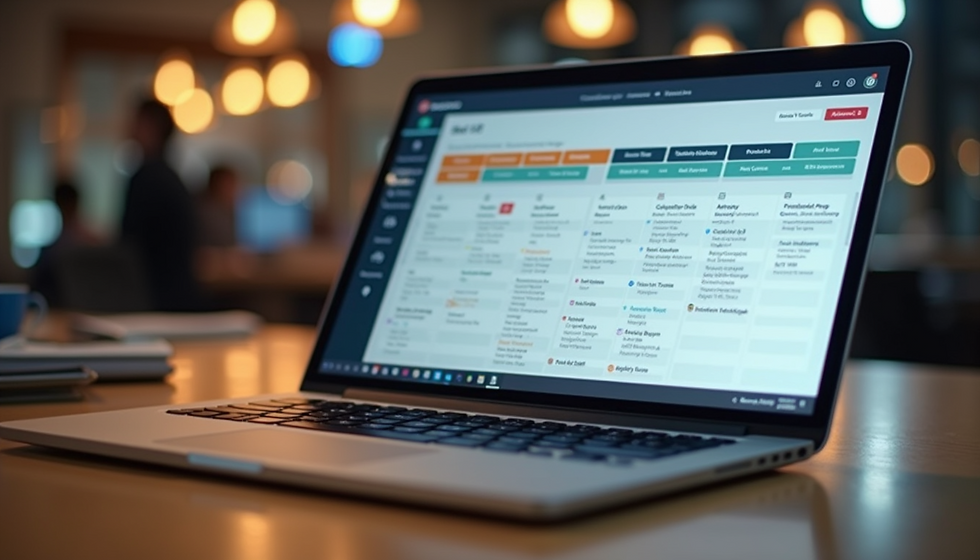
Online employee scheduling software provides a centralized platform where managers can create, update, and share work schedules in real time. Employees can access their shifts from any device, request time off, swap shifts, and receive notifications about changes. This transparency reduces confusion and keeps everyone on the same page.
Key features often include:
Drag-and-drop schedule creation
Automated conflict detection
Shift swapping and availability management
Time-off request handling
Notifications and reminders
Reporting and analytics
By automating routine scheduling tasks, these tools free managers to focus on other priorities while ensuring the roster remains accurate and fair.
Benefits of Using Online Scheduling Tools
1. Save Time and Reduce Errors
Manual scheduling takes hours and often requires multiple revisions. Online software speeds up the process with templates, auto-fill options, and instant updates. It also flags overlapping shifts or understaffed periods, preventing costly mistakes.
2. Improve Employee Satisfaction
Employees appreciate having easy access to their schedules and the ability to manage their availability. Features like shift swapping and time-off requests empower workers to balance their personal and professional lives better, which can reduce absenteeism and turnover.
3. Enhance Communication and Transparency
With schedules available online, teams no longer rely on printed sheets or word of mouth. Everyone sees the latest version instantly, and managers can send alerts about last-minute changes. This clarity reduces misunderstandings and helps maintain smooth operations.
4. Optimize Staffing Levels
Advanced scheduling software often includes analytics that reveal patterns such as peak business hours or frequent absences. Managers can use this data to adjust staffing levels, ensuring the right number of employees are scheduled to meet demand without overstaffing.
Practical Examples of Scheduling Software in Action
Retail Store
A retail manager uses online scheduling software to handle a team of 30 employees working various shifts. The software automatically suggests schedules based on employee availability and store traffic data. When a staff member calls in sick, the manager quickly finds a replacement using the shift swapping feature, avoiding understaffing during busy hours.
Restaurant
In a busy restaurant, scheduling conflicts can disrupt service. The manager uses the software to post schedules two weeks in advance and allows employees to request shift changes through the app. Notifications alert staff to any updates, reducing last-minute confusion and improving morale.
Healthcare Facility
A healthcare facility with 24/7 operations uses online scheduling to manage nurses’ shifts. The software tracks overtime and ensures compliance with labor laws. It also allows nurses to indicate preferred shifts, helping the manager create fair schedules that respect work-life balance.
Choosing the Right Online Employee Scheduling Software
When selecting scheduling software, consider these factors:
Ease of use: The interface should be intuitive for both managers and employees.
Mobile access: Employees should be able to check schedules and communicate on the go.
Customization: The tool should accommodate your industry’s specific needs, such as shift lengths or certifications.
Integration: Look for software that integrates with payroll, time tracking, or HR systems.
Support and training: Reliable customer support and onboarding resources help ensure smooth adoption.
Testing a few options with free trials can help identify which software fits your team best.
Tips for Successful Implementation
Communicate benefits clearly to your team to encourage adoption.
Train managers and employees on how to use the software effectively.
Set clear scheduling policies to guide shift assignments and requests.
Regularly review schedules and feedback to improve the process.
Use reporting features to identify and address staffing issues proactively.
By involving your team and using the software consistently, you can maximize its positive impact.
Online employee scheduling software transforms a complex, time-consuming task into a smooth, transparent process. It saves time, reduces errors, and supports employee satisfaction by giving everyone clear access to schedules and flexibility to manage their shifts. Whether you run a retail store, restaurant, healthcare facility, or any other business with shift workers, adopting these tools can improve your team management and operational efficiency.