Must-Have Features of Employee Scheduling Software for Optimal Team Management
- Dec 2, 2025
- 3 min read
Managing employee schedules can be a complex and time-consuming task, especially as teams grow and shift needs change. The right employee scheduling software can simplify this process, reduce errors, and improve communication. But not all scheduling tools are created equal. To truly support your team and business, scheduling software must include certain key features that address common challenges and boost efficiency.
This post explores the essential employee scheduling software features every organization should look for to manage their workforce effectively.

Easy-to-Use Interface
A scheduling tool should be intuitive and simple to navigate. Managers and employees alike need quick access to schedules without a steep learning curve. Look for software with:
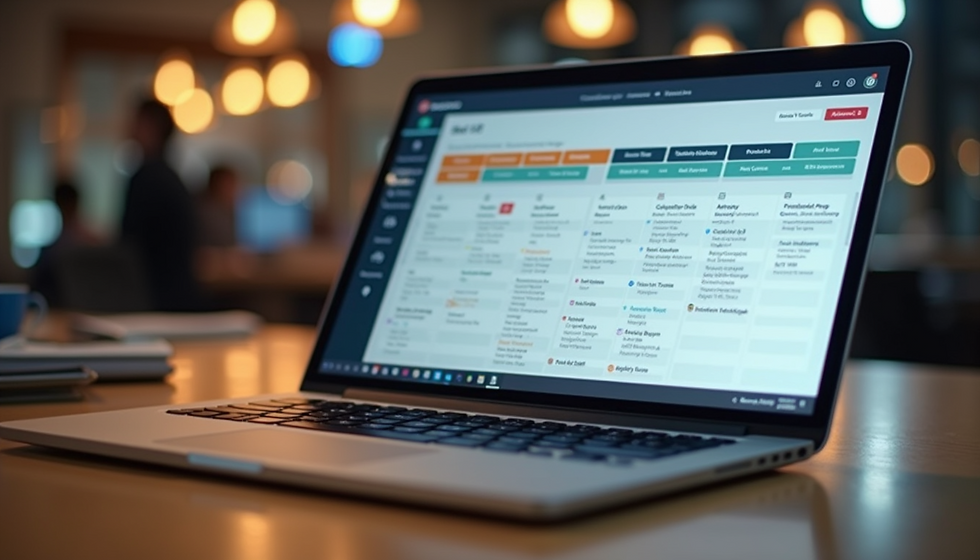
Clear visual layouts such as weekly or monthly calendars
Drag-and-drop functionality to adjust shifts quickly
Mobile-friendly design for access on smartphones and tablets
An easy interface reduces time spent managing schedules and lowers the chance of mistakes.
Automated Scheduling and Shift Assignment
Manual scheduling can lead to conflicts and inefficiencies. Software that automates shift assignment based on employee availability, skills, and labor laws saves time and ensures fairness. Features to consider include:
Auto-fill open shifts with qualified employees
Avoid scheduling conflicts or overtime automatically
Custom rules for shift length, breaks, and rest periods
Automation helps managers focus on exceptions rather than routine tasks.
Real-Time Schedule Updates and Notifications
Schedules often change due to unforeseen circumstances. The software should update schedules in real time and notify employees immediately. This keeps everyone informed and reduces no-shows or confusion. Key capabilities include:
Instant push notifications or SMS alerts for shift changes
Employee self-service to swap or request shifts
Manager approval workflows for shift changes
Real-time communication improves team responsiveness and morale.
Employee Availability and Time-Off Management
Managing employee availability and time-off requests is critical to avoid understaffing. The software should allow employees to submit availability and time-off easily, while giving managers tools to review and approve requests. Features to look for:
Availability calendars visible to managers
Automated conflict detection with scheduled shifts
Time-off request forms with approval tracking
This feature helps balance employee needs with business demands.
Integration with Payroll and HR Systems
Scheduling software should connect seamlessly with payroll and HR platforms to reduce manual data entry and errors. Integration benefits include:
Automatic calculation of hours worked for payroll
Tracking of overtime and compliance with labor laws
Syncing employee data like roles and contact info
Integration saves administrative time and ensures accurate compensation.
Reporting and Analytics
Insightful reports help managers understand labor costs, attendance patterns, and scheduling efficiency. Useful reports include:
Hours worked by employee, department, or project
Overtime and absenteeism trends
Shift coverage and open shift analysis
Data-driven decisions improve workforce planning and reduce costs.
Support for Multiple Locations and Departments
For businesses with several locations or departments, scheduling software must handle complex structures. Features to consider:
Separate schedules per location or team
Centralized management with role-based access
Cross-location shift assignments
This flexibility supports growth and diverse operational needs.
Compliance with Labor Laws and Regulations
Scheduling must comply with local labor laws regarding work hours, breaks, and overtime. Software that enforces these rules helps avoid legal issues. Look for:
Built-in compliance checks for overtime limits
Alerts for mandatory breaks and rest periods
Customizable rules based on jurisdiction
Compliance features protect the business and employees.
Employee Self-Service Portal
Empowering employees to view schedules, request changes, and communicate availability reduces administrative burden. A self-service portal should offer:
Access to personal schedules anytime
Shift swap and time-off request options
Messaging tools for manager communication
Self-service increases transparency and employee satisfaction.
Customizable Scheduling Templates
Templates speed up scheduling for recurring shifts or standard workweeks. Features to look for:
Ability to create and save shift patterns
Easy application of templates to future weeks
Flexibility to adjust templates as needed
Templates reduce repetitive work and improve consistency.
Choosing employee scheduling software with these features ensures smoother operations, happier employees, and better use of management time. When evaluating options, prioritize tools that fit your team size, industry, and specific scheduling challenges.