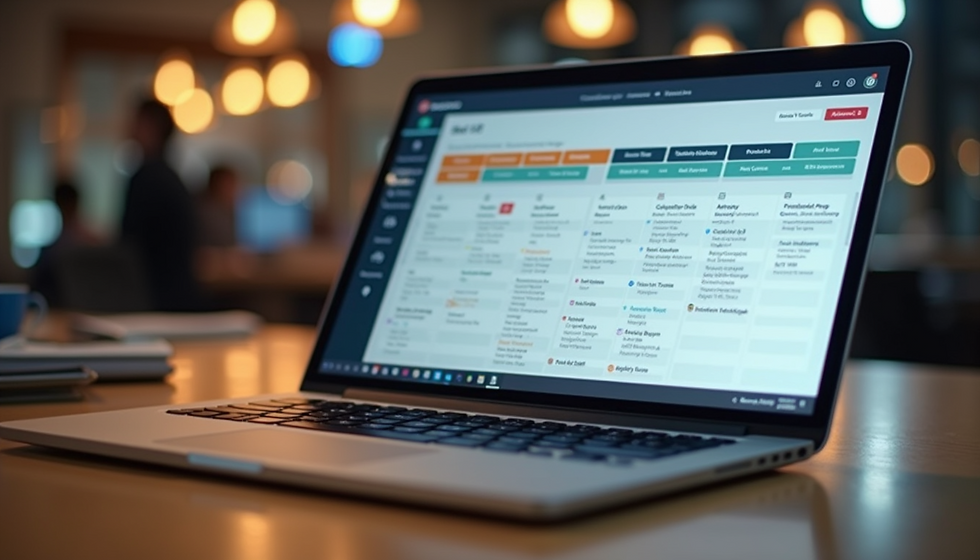
Maximize Efficiency with Online Employee Scheduling Software for Workforce Management
- Connor Stubbs
- Dec 4, 2025
- 3 min read

Managing a workforce can be challenging, especially when juggling multiple shifts, employee availability, and last-minute changes. Traditional scheduling methods often lead to confusion, errors, and wasted time. Online employee scheduling software offers a practical solution to these problems by simplifying the entire process. This post explores how using online scheduling tools can improve workforce management, boost productivity, and reduce stress for managers and employees alike.

How Online Employee Scheduling Software Works
Online employee scheduling software is a digital platform that allows managers to create, share, and adjust work schedules in real time. Instead of relying on paper charts or spreadsheets, managers use a centralized system accessible from computers or mobile devices. Employees can view their shifts, request time off, and swap shifts with colleagues through the same platform.
Key features often include:
Drag-and-drop scheduling to quickly assign shifts
Automated notifications to alert employees of schedule changes
Availability tracking to avoid conflicts
Shift swapping and coverage requests handled within the app
Reporting tools to analyze labor costs and attendance
These features reduce manual work and improve communication between managers and staff.
Benefits of Using Online Scheduling Tools
Save Time and Reduce Errors
Manual scheduling takes hours each week and often results in mistakes like double-booking or missed shifts. Online software automates many tasks, such as checking employee availability and sending reminders. This automation cuts down scheduling time by up to 75%, according to industry reports, and minimizes errors that disrupt operations.
Improve Employee Satisfaction
Employees appreciate clear, accessible schedules. When they can check their shifts anytime on their phones and request changes easily, it reduces frustration. Online scheduling software also supports fair shift distribution, helping avoid favoritism and burnout. Happy employees tend to be more productive and loyal.
Increase Flexibility and Responsiveness
Workforce needs can change quickly due to unexpected absences or demand spikes. Online tools allow managers to update schedules instantly and notify affected employees. This agility helps maintain smooth operations without scrambling to fill gaps.
Enhance Communication and Transparency
Centralized scheduling platforms keep all information in one place. Employees see their shifts, upcoming changes, and company policies without needing to ask managers repeatedly. This transparency builds trust and reduces misunderstandings.
Practical Examples of Online Scheduling Software in Action
Retail Store Chain
A retail chain with 50 stores implemented online scheduling software to manage hundreds of employees. Before, managers spent hours creating weekly schedules on paper. After switching, they cut scheduling time by 60% and reduced no-shows by 30%. Employees used the app to swap shifts easily, improving coverage during busy sales periods.
Healthcare Facility
A hospital used online scheduling to coordinate nurses’ shifts across multiple departments. The software tracked certifications and compliance requirements, ensuring only qualified staff were assigned to specialized units. Automated alerts reminded nurses of upcoming shifts and allowed quick shift swaps during emergencies.
Restaurant
A busy restaurant used online scheduling software to handle last-minute changes caused by staff illness or customer volume. Managers posted open shifts, and employees could claim them through the app. This system reduced overtime costs and improved employee morale by giving workers more control over their schedules.
Choosing the Right Online Employee Scheduling Software
When selecting software, consider these factors:
Ease of use: The platform should be intuitive for both managers and employees.
Mobile access: Employees often need to check schedules on the go.
Customization: Ability to tailor shift types, roles, and rules to your business.
Integration: Compatibility with payroll, time tracking, or HR systems.
Support and training: Reliable customer service and onboarding resources.
Many providers offer free trials, so testing a few options can help find the best fit.
Tips for Successful Implementation
Communicate clearly: Explain the benefits and how to use the software to all staff.
Start small: Pilot the tool with one team before rolling out company-wide.
Gather feedback: Encourage employees to share their experience and suggest improvements.
Train managers: Ensure supervisors know how to manage schedules and troubleshoot issues.
Monitor results: Track time saved, schedule accuracy, and employee satisfaction to measure impact.